Your shortcut didn't work. Find out who took it.
Press the shortcut in KeyCulprit. It follows the press through macOS, shows where it stopped, then walks you through the suspects until one is caught.
 Download free on the Mac App Store
macOS 15 Sequoia or later
Three steps to a name.
- 01 · PRESS
Press it once, in KeyCulprit
Hold the keys in the KeyCulprit window. Pressing them there doesn't trigger anything.
- 02 · TRACE
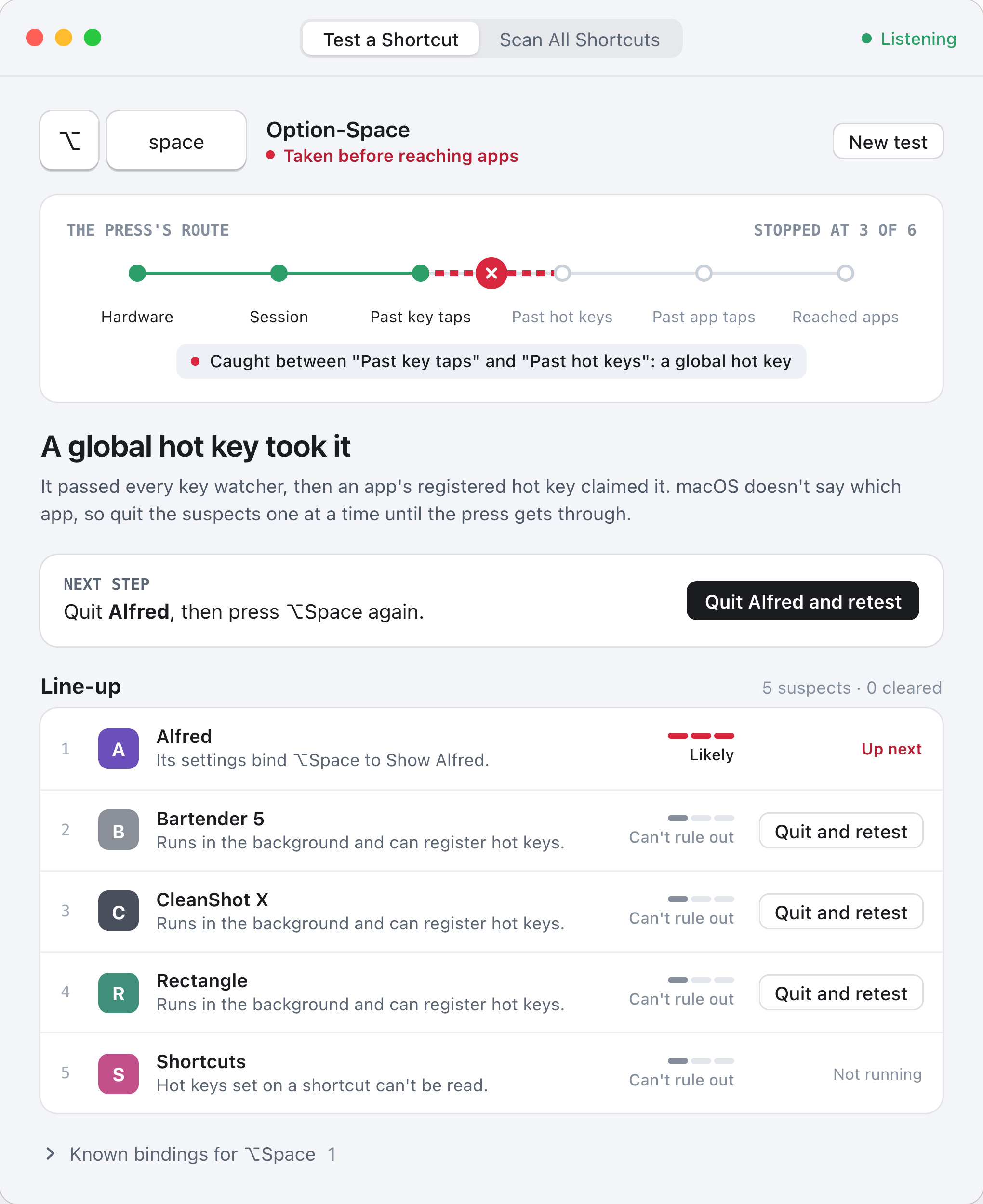
See where the press stopped
KeyCulprit checks the press at six points on its way to your apps, and names what sits between the last one it passed and the first one it missed.
- 03 · LINE UP
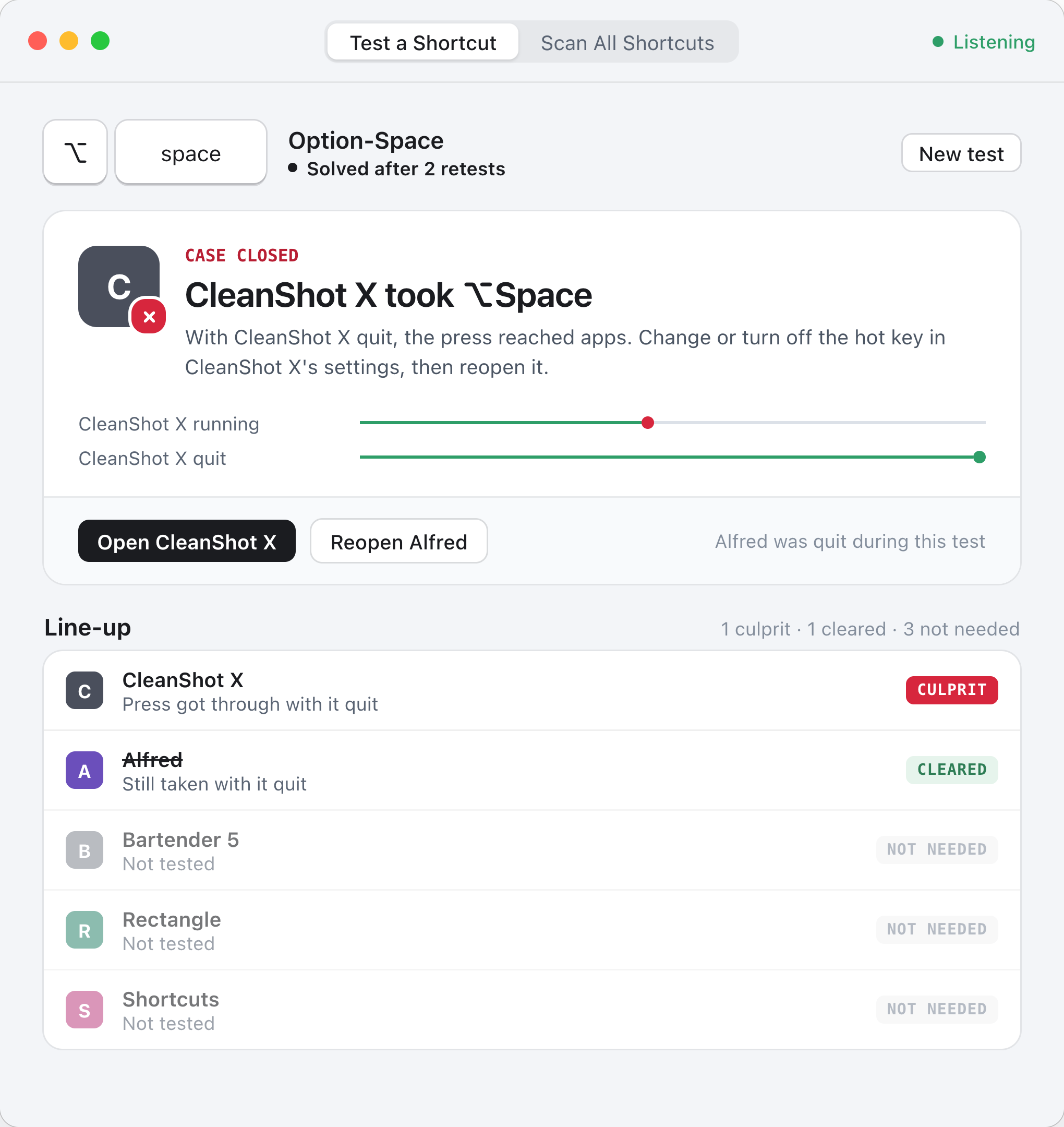
Quit suspects until it gets through
macOS doesn't say which app owns a hot key. KeyCulprit lists the likely ones. Quit and retest is one click. Apps you quit stay listed so you can reopen them.
Every shortcut it can read, in one list.
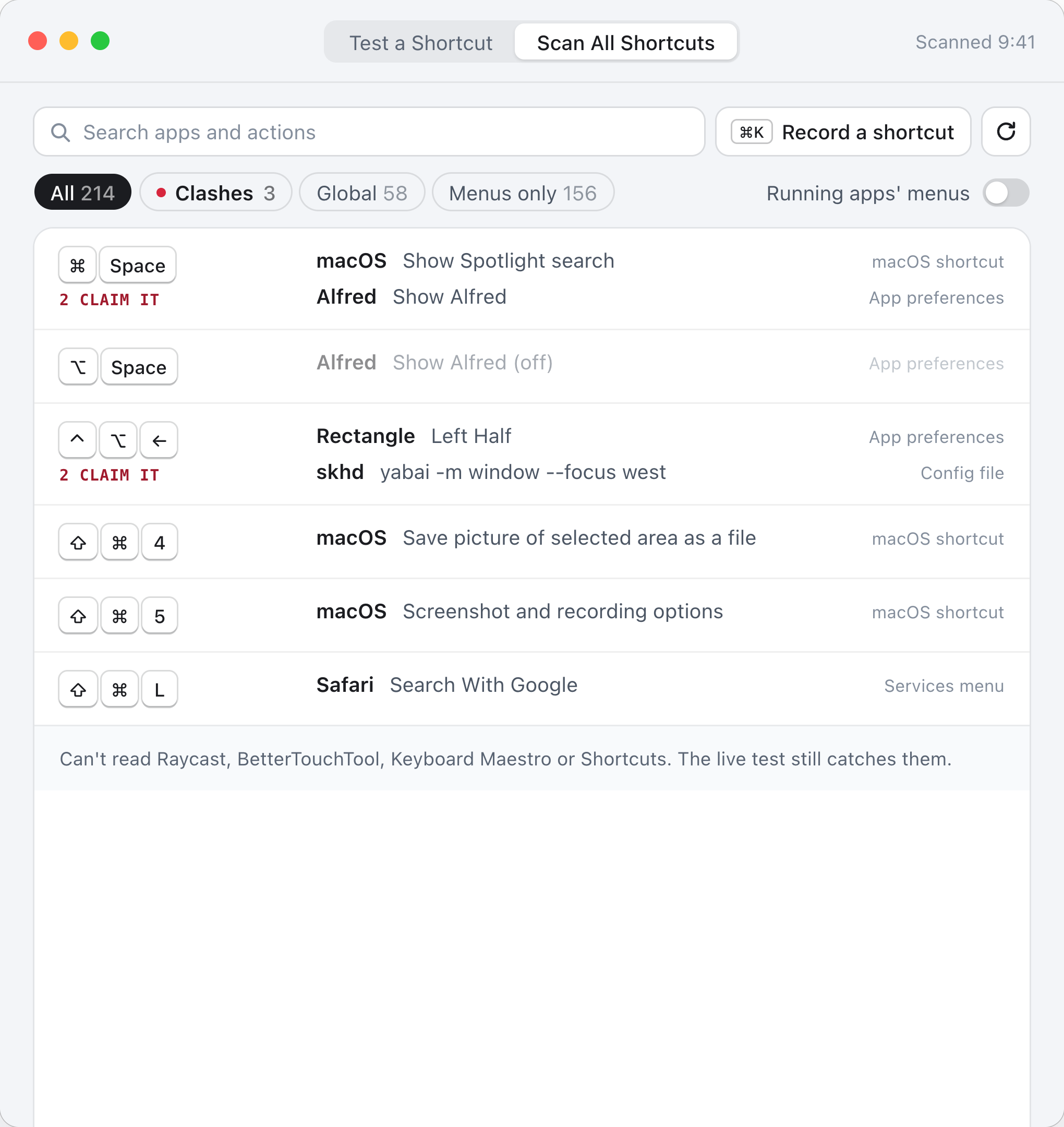
Search by app, action or keys. When two apps claim the same shortcut, it's flagged.
- macOS system shortcuts
- Custom menu shortcuts and Services
- Apps built on KeyboardShortcuts or MASShortcut, such as Rectangle
- Alfred, Karabiner-Elements, skhd, Hammerspoon
- Menus of running apps (optional)
- Active key watchers (event taps)
Can't read Raycast, BetterTouchTool, Keyboard Maestro or the Shortcuts app. The live test still catches them.
Nothing leaves your Mac.
No internet connection
KeyCulprit doesn't connect to the internet. No account, no analytics, no ads.
Presses aren't saved
Test presses are used for the test on screen and then dropped. The only things kept are your appearance setting and setup progress.
Two permissions, both explained
Input Monitoring for the live test. Accessibility only if you choose to scan app menus.
Free on the Mac App Store.
macOS 15 Sequoia or later.
Download free